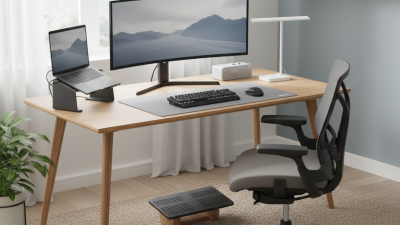
Largest Selection of New and Used Office Furniture! Call 1-855-885-3375 or visit a showroom today!
Home offices are becoming more adaptable, comfortable, and visually connected to the rest of the home. In 2026, home office furniture is likely to favor flexible layouts, supportive seating, and practical storage over matching sets. A compact desk with rounded edges can soften a corner workspace, while a height-adjustable model may suit people who alternate between sitting and standing. Trends vary by room size, budget, and work habits, so no single setup will suit everyone.
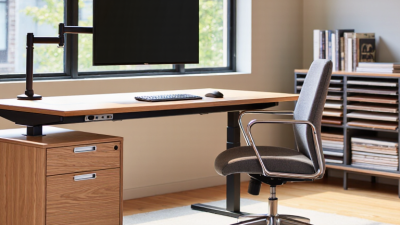
Expect more attention to ergonomic details, warm materials, and technology that stays unobtrusive. Think of a chair with adjustable lumbar support, a desk with a discreet cable tray, or a shelf that keeps notebooks within reach. Natural finishes and muted colors can make a workspace feel less clinical, though appearance should not replace comfort or durability. Small changes count. This guide explores the furniture choices gaining attention, explains what to look for, and considers where popular ideas may fall short. A beautiful desk can still feel cramped after a full workday; that is easy to overlook in a product photo. Use the trends as a starting point, then judge each piece against your space, daily routine, and actual needs.
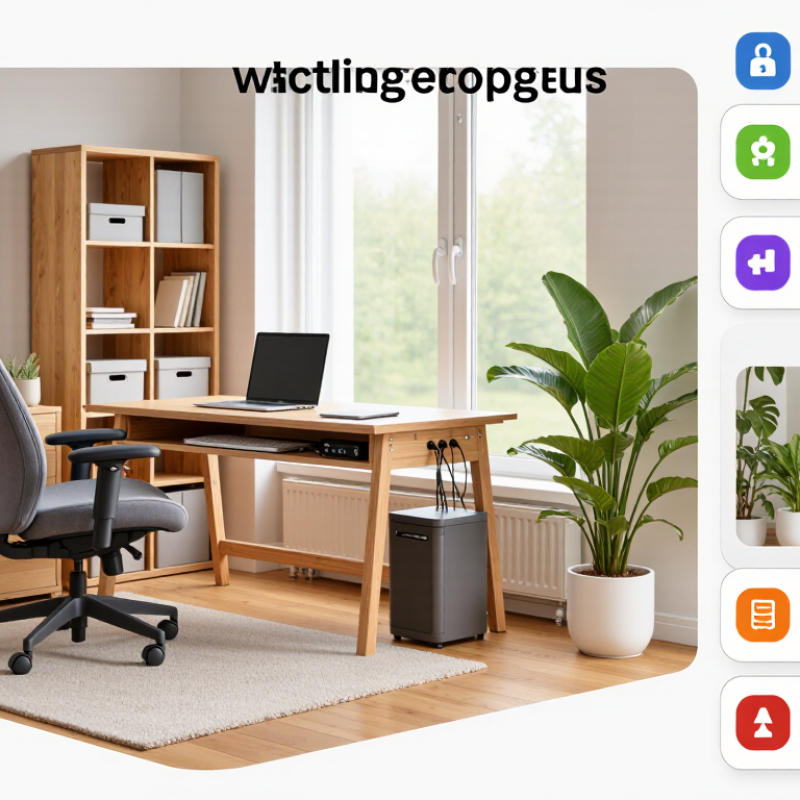
Home-office design in 2026 is less about matching furniture and more about making one room serve different needs. The U.S. Bureau of Labor Statistics’ 2023 American Time Use Survey found that 35% of employed people worked at home on days they worked. That routine calls for furniture that adjusts easily: a desk with enough depth for a screen and notebook, a supportive chair, and storage that clears the work surface after hours. Small change. Big difference.
Flexibility should not mean buying more furniture. A compact desk with adjustable height, a movable task light, and a chair that fits the user can support focused work without dominating a bedroom or living area. Houzz’s 2024 U.S. Houzz & Home Study reported that 54% of surveyed homeowners renovated in 2023, showing how common home upgrades have become. Still, a renovation does not guarantee a better workspace. Measure the room first; check glare, walking paths, and where cables will run.
Comfort also depends on what a product does not show in a photograph. A hard floor can amplify chair noise, while a bright window can make a screen tiring to use. Consider a soft rug, indirect lighting, and closed storage for visual calm. Choose durable, repairable materials where practical. Perfection is unrealistic. Even a well-planned office may need rearranging once daily habits become clear.
A home office in 2026 may need to become a dining room by six. Furniture should support that change without turning every workday into a setup routine. Stanford’s Survey of Working Arrangements and Attitudes estimated that about 28% of paid workdays in the United States were worked from home in 2024. That ongoing pattern makes adaptable rooms practical, not merely stylish.
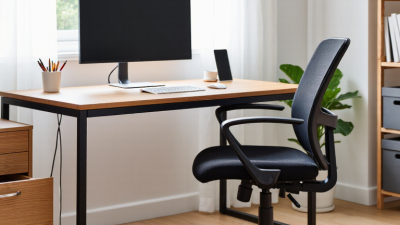
Consider a desk with locking casters, a slim profile, and enough depth for a laptop and notebook. After work, it can roll beside a wall, leaving room for a yoga mat or dinner chairs. A supportive task chair matters, too, but it should tuck away easily. Modular shelves can separate video-call backgrounds from household storage. Keep frequently used cables in one small tray. Less visual clutter.
The 2024 Global Workplace Survey collected responses from more than 16,000 workers across 15 countries, reflecting varied expectations for work settings. At home, those needs vary within one household, too. Measure the room before buying; a flexible table still blocks a doorway if placed badly. I learned that the hard way. A modular setup can also feel fussy when every item needs rearranging. Leave one surface clear, and test the layout during an ordinary week before committing.
In 2026, a useful home-office setup starts with a chair that supports your lower back and lets your feet rest flat. Adjust the seat so your knees sit near hip level, and keep your shoulders relaxed while typing. A desk that changes height can make it easier to alternate between sitting and standing. Small details matter: check that cables do not tug when the desk moves, and that the screen stays near eye level.
A 2018 Cochrane review of workplace studies found sit-stand desks reduced sitting by about 100 minutes per workday in the short term. The evidence was low-certainty, and the studies were not a promise of the same result at home. OSHA guidance also recommends neutral wrist positions and a monitor arranged to avoid repeated neck bending. A better chair helps, but it cannot fix every habit. I still catch myself leaning toward the screen.
Tips: Set a timer to change posture every 30–60 minutes. Test desk height with your elbows bent comfortably. If your feet dangle, add a stable footrest. Don’t chase a perfect setup; notice what feels strained, adjust one thing, and reassess.
| Trend | Key Features | Practical Benefit | What to Check When Choosing |
|---|---|---|---|
| Ergonomic task seating | Adjustable seat height, lumbar support, backrest recline, and armrests. | Helps users set up a more supportive seated position for desk work. | Check that adjustments fit the user’s body and that feet can rest flat or on a footrest. |
| Height-adjustable desks | Work surfaces that can be raised or lowered, either manually or with an electric mechanism. | Makes it possible to alternate between sitting and standing during the workday. | Compare usable height range, stability, desktop size, and the desk’s rated load capacity. |
| Sit-stand workstation planning | Desk and chair settings coordinated with monitor, keyboard, and mouse placement. | Supports comfortable transitions between postures without disrupting the work setup. | Allow enough cable slack and arrange frequently used items within easy reach. |
| Compact, space-conscious furniture | Smaller desks, nesting storage, and furniture sized for shared or multipurpose rooms. | Helps create a defined work area where floor space is limited. | Measure the room, chair clearance, doorways, and space needed to move around the desk. |
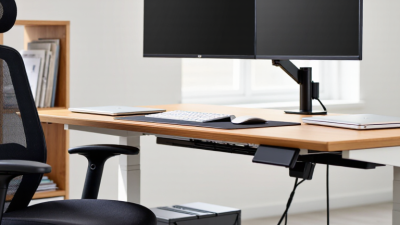
| Integrated cable management | Desk grommets, under-desk trays, and routing channels for power and device cables. | Reduces cable clutter and keeps cords organized around the workstation. | Check tray dimensions, access to outlets, and compatibility with the devices being used. |
| Flexible storage and organization | Mobile pedestals, adjustable shelves, and desktop organizers that can be rearranged. | Accommodates changing work needs while keeping documents and supplies accessible. | Choose storage based on actual file, equipment, and supply requirements; verify dimensions. |
| Durable, easy-care finishes | Hard-wearing surfaces and materials that can be cleaned with appropriate care. | Supports everyday use and helps furniture remain presentable over time. | Review care instructions, surface resistance, warranty terms, and assembly requirements. |
Sustainable materials matter most when they also survive daily use. The U.S. EPA’s Advancing Sustainable Materials Management: 2018 Fact Sheet estimates that Americans generated 12.1 million tons of furniture and furnishings waste; about 9.7 million tons went to landfills. That older figure is a warning, not a forecast. For a 2026 home office, look for responsibly sourced wood, recycled steel, and panels with clearly stated recycled content. Ask for documentation, not just a “green” label. FSC certification can help verify wood sourcing, while material disclosures make comparisons easier.
Construction matters just as much. A desk with a thick, repairable top and replaceable legs may outlast a lighter unit with glued, hard-to-service joints. BIFMA’s e3 sustainability standard evaluates furniture across areas such as materials, manufacturing, and product durability. Check practical details: reinforced screw points, sturdy drawer runners, and finishes that tolerate coffee spills and repeated cleaning. These features are not glamorous. They are useful. Still, recycled content alone does not guarantee a long service life, and a durable piece can be difficult to repair. I would weigh both before buying. A slightly imperfect finish may be easier to live with than a desk that wobbles after a year.
A home office works better when storage, lighting, and technology feel like parts of one system. Desks with shallow drawers can keep notebooks and chargers close without swallowing the work surface. A narrow cabinet beside the desk can hide paper supplies, while an open shelf keeps frequently used reference books visible. The goal is not to conceal everything. Useful items should remain easy to reach.
Lighting is becoming more thoughtfully integrated into desks and shelving. An adjustable task light can reduce shadows across handwritten notes, while indirect shelf lighting helps soften a dim corner. Light placement still matters: a bright strip behind a monitor may cause distracting glare. Test the setup at different times of day. Small details matter.
Technology features are most helpful when they solve ordinary problems. Built-in cable channels can keep cords from tangling around chair legs, and a discreet charging surface can free up an outlet. Some desks also include power access near the work area, though placement should suit the room and the user’s devices. These features can make a workspace feel calmer, but they are not automatically better. An integrated control panel may be awkward if it sits beyond easy reach, and hidden storage can make forgotten supplies harder to find. A practical setup leaves room for adjustment.