What Are the Top Types of Home Office Furniture?
A productive home workspace depends on more than a laptop and a quiet corner. The right home office furniture can support comfortable posture, keep everyday tools within reach, and make limited space easier to use. A desk sets the foundation, while a supportive chair helps during longer periods of focused work. Small details matter, too. A monitor stand can raise a screen closer to eye level, and a drawer unit can keep cables, notebooks, and chargers from spreading across the work surface.
This guide explores the main types of home office furniture and what each one contributes. It looks at writing desks, standing desks, ergonomic chairs, storage cabinets, shelving, and practical accessories. Room size, work habits, and budget all affect which pieces make sense. A compact desk may suit an apartment, while someone handling paper files may need deeper drawers. Adjustable furniture can offer flexibility, but it may cost more and still require careful setup. No single arrangement works for everyone.
The goal is to help readers compare options by function, comfort, and fit—not by appearance alone. Check desk height, chair support, available floor space, and the route of natural light before buying. Measurements are easy to skip. That can be a mistake. Even well-designed furniture may feel awkward if it crowds a doorway or leaves the screen poorly positioned. A thoughtful setup can improve daily routines, though it cannot fix every distraction or replace regular movement.
Desks and Worktables for Home Office Tasks
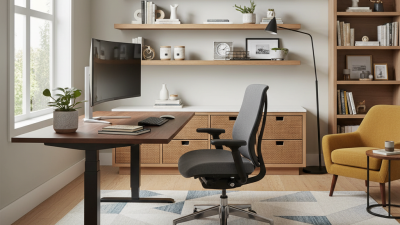
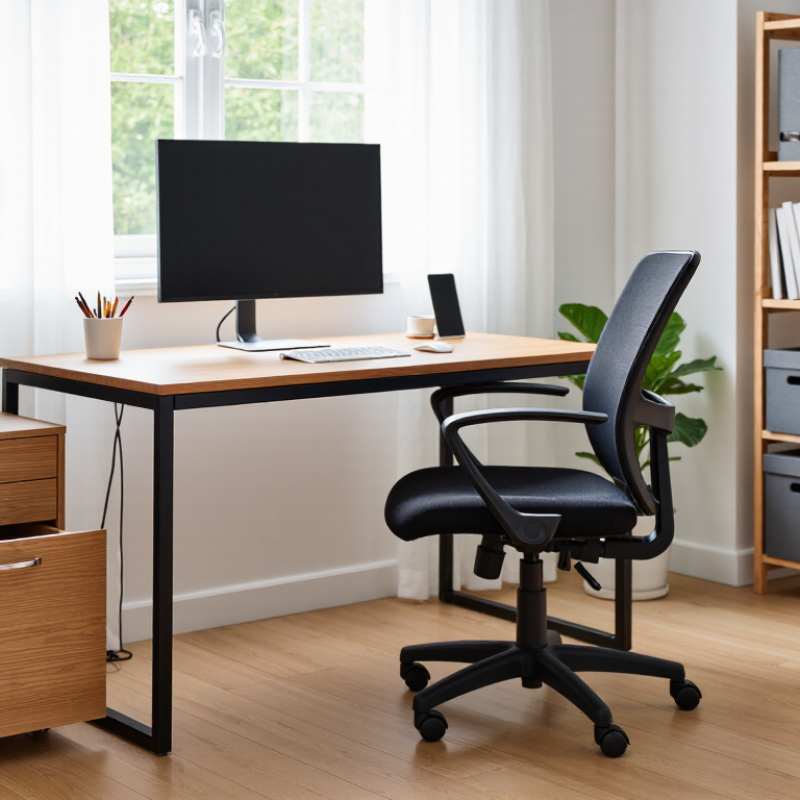
A home-office desk should fit the work, the room, and the person using it. For laptop tasks, a compact surface may be enough, but paperwork or drawing needs more clear space. Measure the room before shopping, including the chair’s pullback area and nearby drawers. A tabletop around 28 to 30 inches high suits many seated users, though body proportions vary. Keep frequently used items within easy reach. That matters.
Worktables can offer a deeper, simpler surface for projects that spread out, such as reviewing plans or sorting documents. Look for steady legs and a top that does not wobble when you write. A shallow desk may save space, but it can leave a monitor too close to the edge. Not always a problem, but worth checking. If the room is shared, consider a surface that can be cleared quickly, with a small drawer or tray for supplies. Cable openings and a nearby outlet can reduce tangled cords, yet they should not dictate the whole layout. I would not claim one desk suits everyone; even a well-organized setup can feel awkward after a long work session. Sit at the desk, check your reach, and leave room for the tasks you actually do.
What Are the Top Types of Home Office Furniture? — Desks and Worktables for Home Office Tasks
| Desk or Worktable Type |
Typical Size (Width × Depth) |
Typical Work-Surface Height |
Best Suited For |
Key Consideration |
| Writing Desk |
36–48 × 18–24 in (91–122 × 46–61 cm) |
28–30 in (71–76 cm) |
Laptop use, writing, reading, and compact work areas |
Its shallow surface saves space but may not fit several large monitors. |
| Computer Desk |
48–60 × 24–30 in (122–152 × 61–76 cm) |
28–30 in (71–76 cm) |
Daily computer work with room for a monitor, keyboard, and accessories |
Check that the depth provides comfortable viewing distance and space for peripherals. |
| Executive Desk |
60–72 × 30–36 in (152–183 × 76–91 cm) |
28–30 in (71–76 cm) |
Paperwork, computer work, and tasks that need a broad work surface |
Its larger footprint requires more room and clear space for a chair. |
| L-Shaped Desk |
Each side typically 48–72 × 20–30 in (122–183 × 51–76 cm) |
28–30 in (71–76 cm) |
Multiple monitors, separate work zones, or shared equipment |
Measure the corner and confirm which side the return should be on before choosing a layout. |
| Height-Adjustable Sit-Stand Desk |
48–72 × 24–30 in (122–183 × 61–76 cm) |
Often adjusts approximately 25–50 in (64–127 cm) |
Alternating between seated and standing work |
Confirm the adjustment range suits the user’s seated and standing posture, and check the desk’s load capacity. |
| Wall-Mounted or Floating Desk |
30–48 × 16–24 in (76–122 × 41–61 cm) |
Set during installation; commonly around 28–30 in (71–76 cm) |
Small rooms, alcoves, and occasional laptop work |
Secure installation into suitable wall structure is important; storage and surface area are usually limited. |
| Worktable |
48–72 × 24–36 in (122–183 × 61–91 cm) |
Often around 28–36 in (71–91 cm), depending on task |
Crafting, drawing, assembly, and projects requiring an open surface |
Choose the height and surface material for the task, and allow room for supplies or equipment. |
Office Chairs for Support and Comfortable Seating
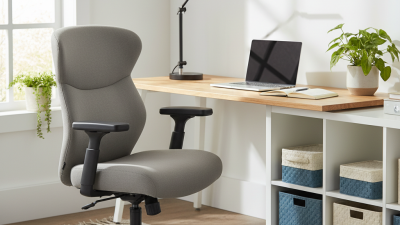
A supportive office chair can make long work sessions easier on your back, hips, and shoulders. Look for adjustable lumbar support that meets the curve of your lower back. The seat should feel firm but not hard, with enough depth to leave a small gap behind your knees. Keep both feet flat on the floor, or use a footrest if needed. Small details matter. Armrests should let your shoulders relax instead of pushing them upward.
Try a chair before committing, if possible. Sit for several minutes and notice whether you shift often or feel pressure under your thighs. A breathable fabric can help during warm afternoons, while a stable base makes everyday movement feel more secure. Comfort is personal. Even a well-designed chair may not feel right for every body, and adjusting it can take a few tries.
Tips: Set the chair height so your elbows rest near desk level. Change positions during the day, and stand or stretch between tasks. Check the fit again after a week; small adjustments are easy to overlook.
What Are the Top Types of Home Office Furniture? Office Chairs for Support and Comfortable Seating
Ergonomic chair adjustment ranges can help you find a seat that supports a comfortable working posture.
The bars show adjustment ranges for seat height, width, and depth—not a one-size-fits-all fit. Choose a chair that lets you sit with your feet supported and your back comfortably supported.
Source: OSHA Computer Workstations: Chairs.
Storage Furniture for Documents and Supplies
Storage furniture keeps documents visible without letting them take over the desk. A locking file cabinet suits contracts, tax records, and other sensitive papers. Open shelves make reference books and supply boxes easy to reach, while shallow drawer units hold pens, chargers, and sticky notes. Measure the room before buying. A cabinet that blocks a chair or door creates daily friction.
The U.S. Environmental Protection Agency’s 2018 Advancing Sustainable Materials Management report recorded 46 million tons of recycled paper and paperboard, about 68.2% of the material generated. That figure is a useful reminder: paper needs a clear route, not just a place to pile up. Label folders by task or year, and keep a small tray for papers awaiting action. Small, but useful. A slim shelf can also separate active files from archived ones.
Combination storage, such as a low credenza with drawers and a flat top, can serve as a printer stand and supply station. Keep frequently used items between waist and eye level; reserve high shelves for light, seldom-needed boxes. Don’t over-organize. I’ve seen neat-looking systems become hard to maintain when every paper needs a special folder. Leave one flexible drawer, then review it monthly.
Shelving and Bookcases for Organizing Work Materials
Good shelving keeps work materials visible without crowding the desk. A 2015 survey by the National Association of Professional Organizers found that 54% of respondents felt overwhelmed by household clutter, while 78% said they did not know how to tackle it. The survey was not specific to home offices, but it highlights why simple storage can help. Place frequently used folders at eye level, reference books lower down, and archive boxes on higher shelves. Keep it reachable. A narrow bookcase beside the desk can save a trip, provided its shelves fit what you actually store.
Measure binders and paper trays before choosing a bookcase; shallow shelves can leave materials tipping forward. Adjustable shelves help when manuals give way to project files. Use labeled bins for cables, stamps, or spare notebooks, and leave room for incoming work. Label the shelves. Store heavy books low, distribute their weight, and secure tall units to reduce tipping risk. A shelf can become a tidy-looking dumping ground, too. I would review it weekly, though a monthly reset may be more realistic in a busy household. The best arrangement is the one that makes today’s file easy to return tomorrow.
Space-Saving Furniture for Compact Home Offices
Compact home offices work best when each item earns its floor space. A narrow desk, around 40 inches wide, can fit a laptop, notebook, and task light without dominating a bedroom corner. Measure the chair’s pullback area, too; a desk that fits on paper may block a closet in daily use. Wall shelves keep books and supplies off the work surface, while a slim drawer unit can double as a printer stand. Choose stable furniture with rounded edges if the workspace sits in a busy walkway. Small can still feel calm.
Tips: Measure the room, doorway, and chair clearance before buying. Pick a desk with a shallow depth, then check that your monitor sits at a comfortable viewing distance. Use a folding chair only if it supports your back; convenience is not the same as comfort. Keep one cable route clear. It helps.
For changing needs, nesting tables or a compact rolling cart can provide temporary space for paperwork and move aside after work. A monitor riser adds storage beneath the screen, but it should not force your neck upward. Try arranging cardboard boxes in the proposed furniture footprint for a day. It is a slightly fussy test, and I sometimes skip it; that can mean discovering too late that drawers hit the bed. A few well-sized pieces may work better than several tiny organizers, which can make a small room feel crowded.