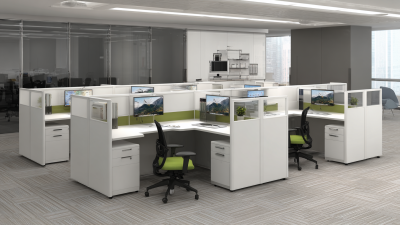
How to Choose the Right Office Work Desks?
Choosing the right office work desks is not merely a décor decision. Desk size, height, and layout can affect posture, concentration, storage, and movement through a busy office. Workplace research provides useful context: Gensler’s 2024 Global Workplace Survey gathered responses from more than 16,000 workers across 15 countries. Its reach is significant, but broad survey findings cannot determine what fits every team. Local tasks matter.
Ergonomics guidance offers practical criteria. The U.S. Occupational Safety and Health Administration recommends arranging computer workstations to support comfortable, neutral postures. In practice, that means checking chair fit, monitor position, keyboard reach, and legroom—not just the desktop’s appearance. ANSI/BIFMA X5.5-2021 also sets performance and safety requirements for desk and table products. These references help buyers ask better questions about adjustment, stability, and everyday use.
Before comparing finishes, measure the room, chair, and equipment. A deep desk may suit drawing plans or dual monitors, while a compact workstation can preserve clear walking paths. Check cable routing, storage access, and whether employees share desks. Small details matter. A drawer that blocks a chair or a fixed-height surface can create daily friction. It is easy to overvalue a sleek finish; I would not treat appearance as proof of comfort. No single standard can replace a real fit test with the people who will use the desk. The sections ahead explain how to balance ergonomics, space, materials, durability, and budget when choosing office work desks.
Identify the Work Tasks and User Requirements
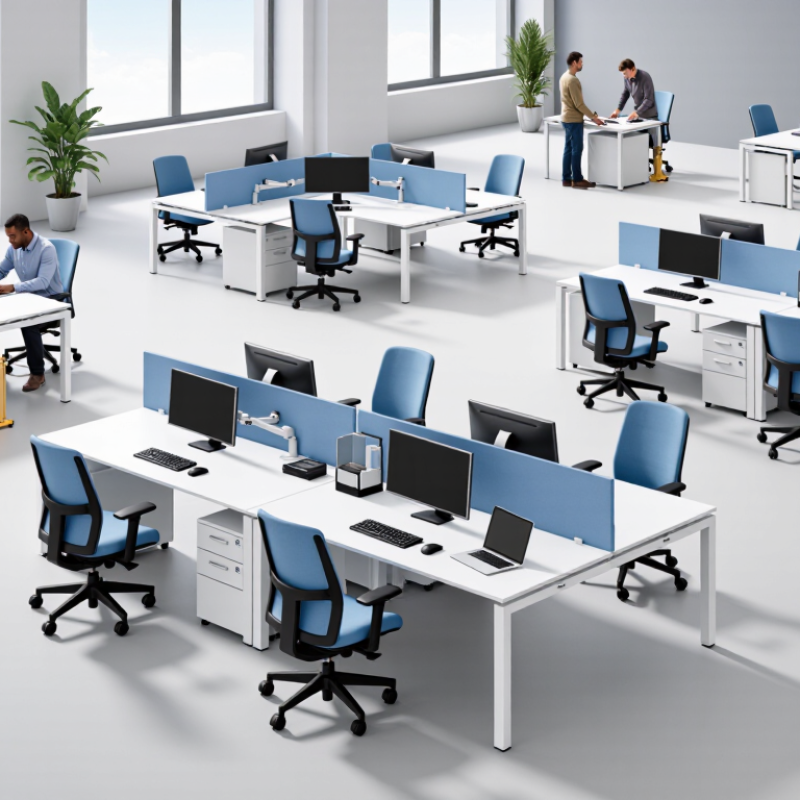
Choosing an office desk starts with observing the work, not browsing dimensions alone. Watch a typical day: does the user type for hours, spread out drawings, handle paperwork, or switch between video calls and focused tasks? Note the equipment that stays on the surface. A laptop, separate monitor, keyboard, and notebook need more room than a laptop by itself. Small details matter. A frequently used phone or reference folder should not end up balanced at the desk edge.
Ask users what feels uncomfortable and what they need to reach often. If they alternate between sitting and standing, an adjustable-height desk may suit them; check that its range fits the users and equipment. Measure the room, chair, and routes around the desk. Leave space for drawers to open and cables to reach outlets without crossing walkways. For shared workstations, consider whether different users can adjust the setup easily. A checklist helps, but it is not perfect. People may describe an ideal workday rather than a busy one. Try a sample layout with real equipment, then ask users to work at it for a short period. A few awkward reaches can reveal more than a floor plan.
Measure the Office Space and Plan the Desk Layout
Before choosing office work desks, measure the room at floor level and note every door, window, radiator, column, and power outlet. A wall may look clear but still need space for a door to swing open. Record the room’s length and width, then measure each desk, including drawers or screens that extend beyond its top. Measure twice.
Sketch the room on graph paper, or mark desk footprints with painter’s tape. This makes tight corners and awkward walking routes visible before furniture arrives. Leave roughly 36 inches (91 centimeters) for main aisles when the room allows, and provide extra space on busy routes. Check that chairs can slide back without blocking a doorway or another workstation. Leave room.
Arrange desks to suit the work. Shared teams may benefit from facing one another, while screen-based tasks often need less glare from windows. Keep frequently used outlets reachable, and avoid routing cables across walkways. A neat drawing can still mislead: chair movement and open drawers take up space that flat measurements miss. Test the taped layout with a chair, then adjust it before ordering. If the office serves several people, ask them to walk through the plan; they may spot a cramped passage you overlooked.
Compare Desk Types, Materials, and Features
Choosing an office desk starts with the work it must support. A compact writing desk suits a laptop and notebook, while a wider workstation gives two monitors and paper files room to spread out. Sit-stand desks allow position changes, but check their height range and stability before buying. Measure the room, including the space needed to pull out your chair. Small details matter.
Materials affect both upkeep and feel. Laminate is usually easy to wipe clean, while solid wood can be repaired but may need more care. Metal frames often feel sturdy; check that the desk does not wobble when you type. Look for a rounded edge if your forearms rest on the desk, and check whether cable openings match your setup. A polished surface may look ideal, yet it can show fingerprints more than expected. Appearance alone is an easy thing to overvalue.
Tips: Test the desk at your usual chair height, if possible. Keep your monitor near eye level and leave space for your legs. A built-in drawer sounds useful, but it can reduce knee room. Measure twice.
Assess Ergonomics, Storage, and Accessibility
A desk should support a comfortable working posture, not just match the room. Sit with your feet flat and shoulders relaxed; your elbows should rest near desk height. Leave enough space for your knees and for a chair to move freely. A desk that feels fine during a quick showroom test may become tiring after hours of typing. If possible, check its height and depth with your usual chair and equipment.
Tips: Measure your chair, monitor, and available floor space before buying. Keep frequently used items within easy reach, and avoid placing drawers where they block legroom. A small detail matters.
Storage and accessibility work together. Drawers can hide clutter, but deep or stiff drawers may be awkward to use. Open shelves offer quick access, though they collect dust and can feel crowded. Check whether cables can pass safely and whether a wheelchair or mobility aid can approach the desk without obstruction. Leave a clear route around it. Even careful measurements can miss how a desk feels during a busy day, so consider what you reach for most often and test the setup if you can. A neat layout is not always a practical one.
Balance Durability, Maintenance, and Budget
A good office desk should survive daily use without turning routine cleaning into a repair job. Check the frame, edge banding, drawer slides, and surface finish; these details affect how well it handles chair impacts, coffee spills, and frequent wiping. For a performance benchmark, ask whether the desk meets ANSI/BIFMA X5.5-2021, a standard covering safety and performance tests for desk products. A warranty is useful, but it does not replace clear test documentation.
Compare total cost over a realistic service life, not just the purchase price. For example, a $600 desk used for ten years costs $60 per year; a $350 desk used for four years costs $87.50 per year, before repairs or downtime. These are illustrative figures, not market averages. The U.S. EPA’s 2018 Advancing Sustainable Materials Management report estimated 12.1 million tons of furniture and furnishings entered the municipal waste stream. That category is broader than office desks, but it highlights why replacement frequency matters. Lifespan estimates are imperfect, especially when teams do not track maintenance or workload.
Tips: Request replacement-part prices, inspect a sample edge and finish, and ask staff how often surfaces need cleaning. Set aside a small repair budget; the forecast may still be wrong.